
A practitioner's perspective
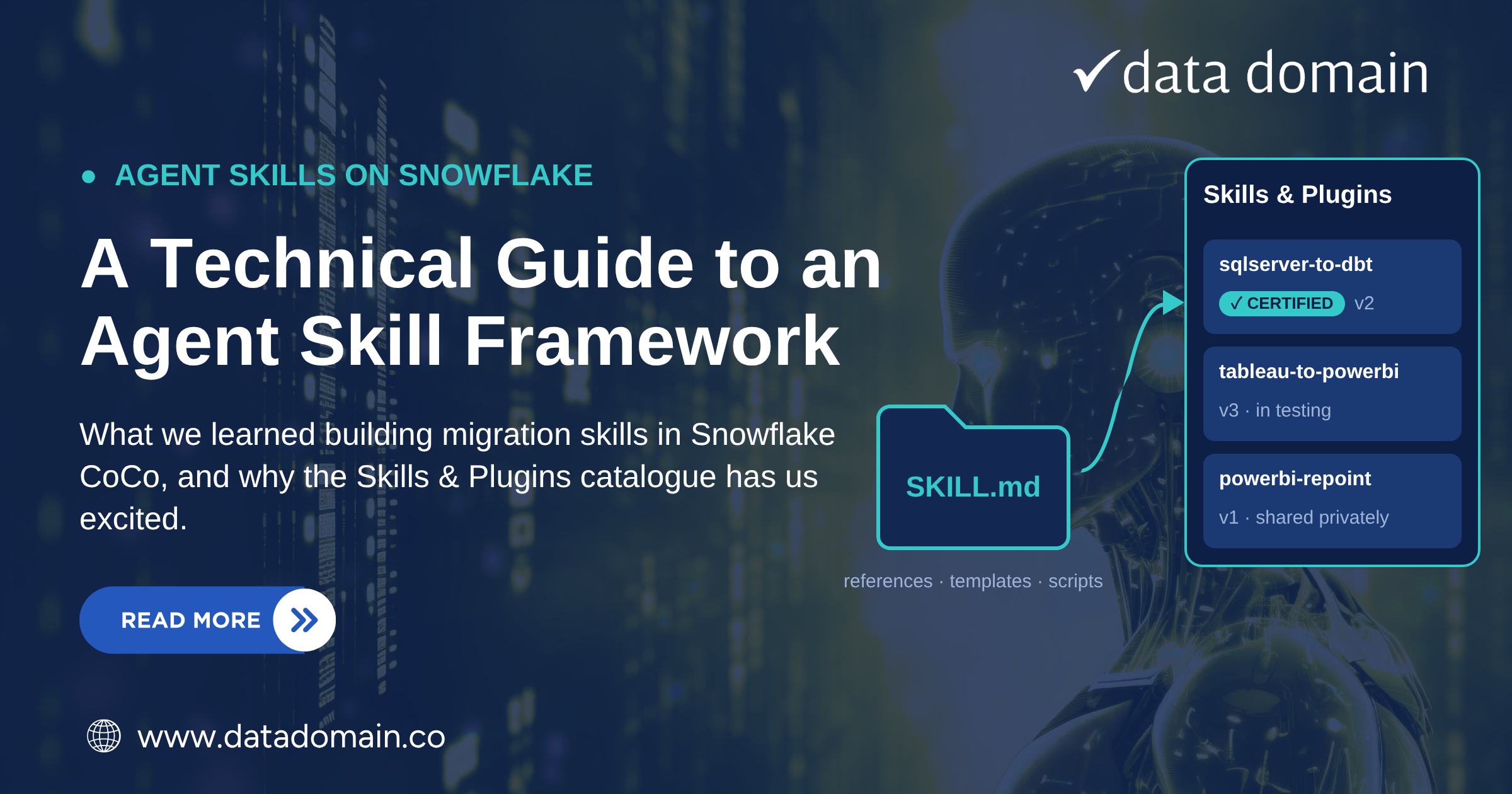
Over the past few months, our team has been building agent skills in Snowflake CoCo (Cortex Code) on a data modernisation programme for a large New Zealand enterprise. The goal is to move an on-premises sandpit and datamart, and the Tableau reports that sit on top of them, onto Snowflake and Power BI, with AI doing as much of the repeatable work as possible.
We built three skills along the way:
- Tableau to Power BI. Converts Tableau workbooks into Power BI reports, building on the client's own report template.
- Power BI repointing. Moves Power BI semantic models from SQL Server to Snowflake, handling connections, queries and data types.
- SQL Server to dbt. Migrates T-SQL views and stored procedures into the client's Snowflake dbt project, with SnowConvert AI doing the bulk conversion.
The design problem wasn't converting one report or one stored procedure. It was standardising the work across migration waves, with many engineers converting in parallel, so every report in a wave follows the same structure and conventions, whoever converted it. So we designed the skills to kick off each migration with a consistent base: a converted codebase or a first-cut report, built the same way every time. Engineers then iterate on that base with CoCo, which is where their knowledge of the business matters most.
This post shares what we learned building them, and the problem we hit once they worked: getting them to every engineer who needed them.
What an agent skill is, and when to build one
A skill is a packaged playbook that teaches an agent a repeatable method. At its heart is one file, SKILL.md. Its name and description are always visible to the agent and act as the trigger. The body, with the steps and rules, only loads when the skill runs.
But not everything needs to be a skill. So when should you choose something simpler? A prompt is the right tool for one-off or exploratory work: explaining a stored procedure, profiling a table, drafting a quick query. Use a skill when you've typed the same prompt a few times, and CoCo's built-in skill-development skill can help with the first draft.
If you've typed the same prompt three times, it's not a prompt any more. It's a method, and it belongs in a skill.
Five lessons from building migration skills
1. Structure drives cost control
Our first instinct was one long SKILL.md holding every mapping rule and edge case. The problem is that everything in it loads every time the skill runs, whether that step needs it or not, and you pay for those tokens on every invocation.
We moved to a scaffold instead. The top SKILL.md only orchestrates. Each main step has its own folder and its own instructions, loaded only when that step runs. Reference material, templates and scripts sit alongside and load on demand.
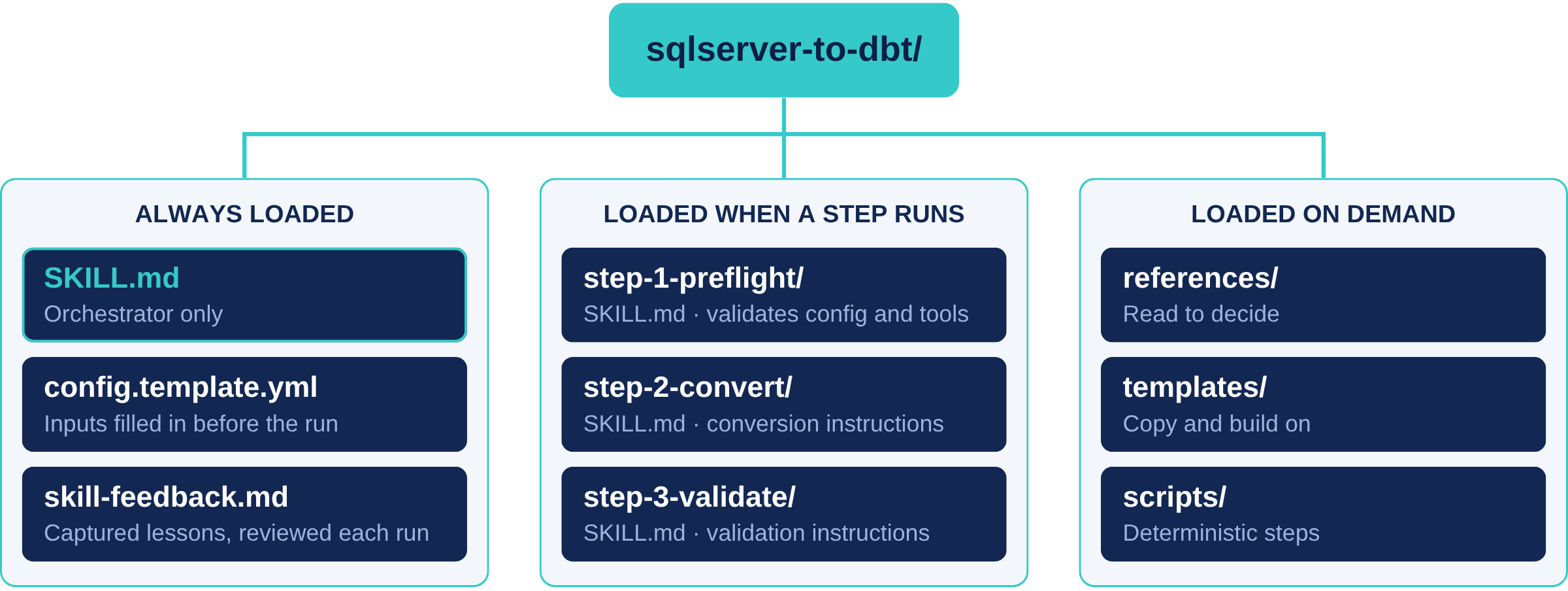
The folders aren't just there to keep things tidy. They keep token cost per run down and leave more of the context window for the actual work.
2. Give the skill everything it needs before it starts
Early versions kicked off, then kept stopping to ask for inputs, or worse, guessed at the source, target, scope or naming. Now each engagement fills in a YAML config before the run: source objects, target database and schema, conventions, and tool settings. The first step validates it and checks that tools like the SnowConvert CLI are installed, and the config records exactly what was run.
3. Keep human engineers in the loop
A single end-to-end run produces a lot of output at once. Errors compound between steps, and nobody clearly owns the result. Our skills break the work into phases, and at each gate the agent summarises what it did and waits for approval before moving on.
The skill does the heavy lifting. The consultant reviews the output and stays accountable for what goes to the client.
That shapes what the skills produce. They aim for a strong, standard starting point rather than a finished product. Once the base is in place, engineers iterate with CoCo on the parts that need business context, and every wave starts from the same foundation.
4. Use references to guide decisions. Use templates to build
Supporting files come in two kinds, and keeping them separate made our skills easier to reason about.
- References are read to decide. Mapping tables for calculations and data types, conventions, known gotchas, and SnowConvert output as grounding. They stop the agent improvising.
- Templates are copied and built on. The Power BI template from the client's Power BI community, and the client's dbt project scaffold. They mean the output looks like the client's own work from the first run.
5. Let tools do the deterministic work
Asking an agent to convert thousands of lines of T-SQL by hand varies from run to run and burns tokens. So the skill orchestrates instead. Scripts handle mechanical steps such as parsing workbook XML or rewriting connection strings. SnowConvert AI does the bulk conversion. The agent then works through the warnings SnowConvert reports, which is where judgement is actually needed.
Our rule of thumb: if a step has one right answer, code it. If it needs judgement, leave it to the agent.
Skills should get better every time they run
Every session uncovers a fix or an edge case, and without a habit for capturing it, the lesson disappears when the chat ends. We built a small meta-skill, skill-capture, that writes each lesson to the skill's own skill-feedback.md as a structured entry: the step, the issue, the fix, and the file it applies to.
The next time the skill runs, its first step reads that file, shows the user the proposed changes, and applies only the ones they approve. Skills improve through normal client work, and a human signs off every change, which matters when every change needs to be traceable.
Two things we learned the hard way:
- Capture early. Long sessions compress the agent's context, and the details of what went wrong can be gone by the end. We capture at every review gate, not just at the close.
- Improvement runs at two speeds. skill-capture is cheap and runs every session. A full audit with CoCo's skill-development skill reviews triggers, workflow gaps and sub-skills, but it reads everything, so we save it for big changes like a new step or a restructured scaffold.
The hard part: sharing
On a wave migration, a skill is only as good as its reach. Every engineer on every wave needs the same version, and that's when four problems show up.
- Skills drift on laptops. Copies get edited locally, improvements don't travel, and two consultants end up with two versions of the same skill.
- Nobody knows which version is approved. In a large enterprise, knowing which version produced a deliverable isn't a nice-to-have.
- A skill is a package, not a file. Copying a SKILL.md isn't enough. The templates, contracts and references the work has to conform to need to travel with it, and stay in step.
- Every new tool is another approval. A sharing platform outside the data platform means another security review, another access model, and another place client artefacts could end up.
How we share today: Git
Today our skills live in a Git repository. Changes go through pull requests, lessons from skill-feedback.md go back as pull requests too, releases are tagged so client work can be pinned to a known version, and client assets stay in the client's own repository.
It works, and the version history is genuinely useful. But Git governs code, not skills. Even with the repository mirrored into Snowflake and access following Snowflake roles, "approved" still means merged to main by convention rather than by a platform control, there's no view of who uses a skill, and colleagues only find one if they know the repository exists.
What Snowflake showed us
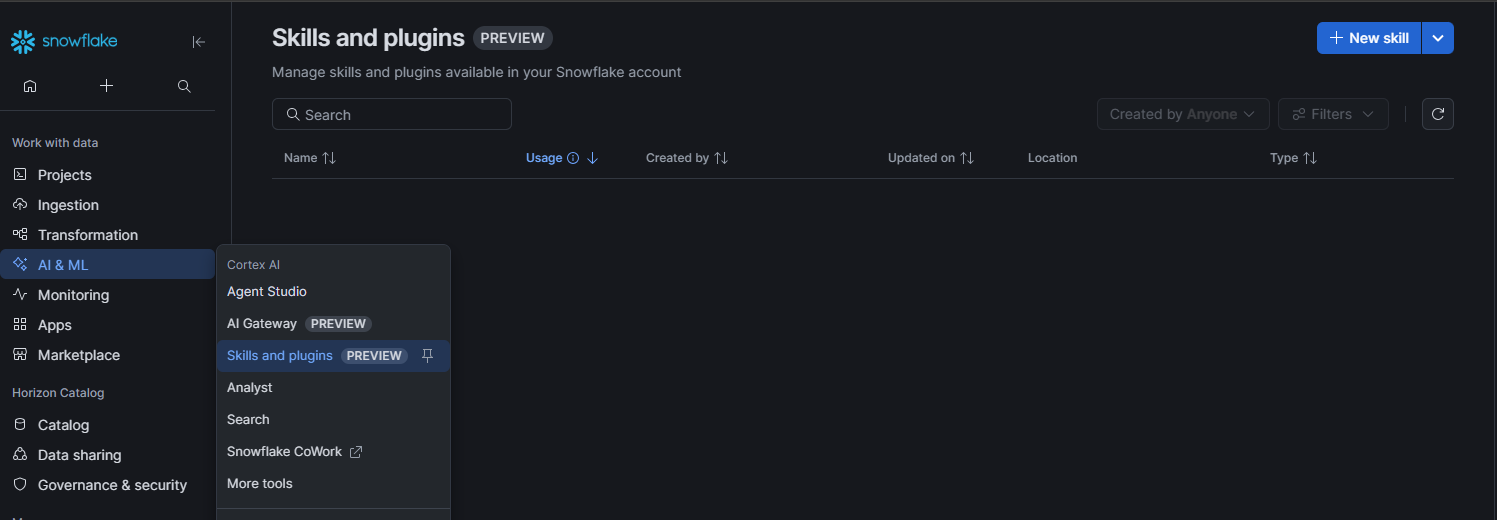
Snowflake Professional Services recently walked our team through the Skills & Plugins catalogue in CoCo, currently in public preview.
- The Skill Package. A plugin bundles skills with hooks, agents and MCP servers into one installable unit, so the templates, contracts and references travel with the instructions.
- Governed Snowflake objects. Shared skills and plugins are stored as Cortex Extension objects in your account, under the same role-based access control as your data.
- Share privately or publish. Access and discoverability are set separately. Send a private link while a skill is still being tested, or publish it to a role so the right team can find it.
- Install from the catalogue. Colleagues browse under Catalog > Skills & Plugins in Snowsight and install from there, or CoCo suggests relevant skills while they work.
- See what's used. Install and usage counts over the last 28 days show which skills are earning their place.
Version control with certification
For enterprise clients, this is the capability that matters most.
- Every upload is a new version. The owner re-shares to publish an update, and versions are numbered from one.
- Certification is a tag on a specific version. An admin can certify version two while version three is still being tested. Certifying copies the skill into a dedicated, centrally governed database, leaving the owner's working copy untouched.
- Links resolve to the trusted version. A share link without a version installs the latest certified version. A link with a version pins that exact one, so every engineer on a wave works from the same skill, and each deliverable can be traced to the version that produced it.
- Certified skills are visible. They carry a Certified badge in the catalogue, so people know which one to trust.
Git today vs the Skills & Plugins catalogue
- Approved version. Git: merged to main, by convention. Catalogue: certified version, enforced by the platform.
- Access. Git: repository permissions, or Snowflake roles if mirrored. Catalogue: Snowflake roles.
- Discovery. Git: you need to know the repository exists. Catalogue: browse the catalogue, or CoCo suggests it.
- Install. Git: clone and copy. Catalogue: install from the catalogue.
- Usage. Git: unknown. Catalogue: install and usage counts.
In Git, "approved" is a convention. In the catalogue, it's a platform control.
What we're watching for at GA
The catalogue is in public preview, so it isn't on client production yet. Before we recommend it to enterprise clients, we'll be looking at:
- Who can certify. In preview, certification needs the ACCOUNTADMIN role. Most organisations will want a narrower role for reviewing and certifying skills.
- Content checks. Certification is a statement of trust in the author. Automated scanning of what's shared would make that easier to sign off.
- A path from Git. Skills can't be exported outside Snowflake, so Git stays the source of truth. A clean route from a merged pull request to a new catalogue version would close the loop.
- Account scope. Sharing works within a single Snowflake account, which suits organisations with one production account. Those running several will need a plan per account.
Conclusion
Skills turn one consultant's expertise into a team's capability, but only if they can scale. Building them taught us to structure for cost, give the skill everything up front, start every migration from a standard base, keep a human at every gate, let tools do the deterministic work, and capture lessons as we go. Sharing them taught us that Git alone leaves the most important question, which version is approved, to convention.
Snowflake's Skills & Plugins catalogue answers that inside the platform clients have already approved, with packaging, versioning and certification built in. We're already planning how our migration skills will move across once it's generally available, and we can't wait for GA.
The value of an agent skill isn't in building it. It's in how many people can trust it and use it.
Data Domain is a New Zealand data and AI consultancy and Snowflake Premier Partner. Our Applied Intelligence practice builds and governs AI agents and skills on Snowflake, drawing on hands-on data modernisation work in complex enterprise environments.
Talk to us today about building and sharing agent skills on Snowflake, or discover more about our Applied Intelligence practice.
General Enquiries
If you are keen to have a chat with an expert or discuss a project, please fill out the form and we'll get in touch.